
How to raise tickets for issues with your Deposits or Withdrawals?
2 min read7 stepsUpdated Jul 14, 2025
If you need assistance while using the Cashaa mobile app, you can easily raise a support ticket directly through the app. Follow these simple steps to get your issues resolved quickly.
- 1
Step 1:
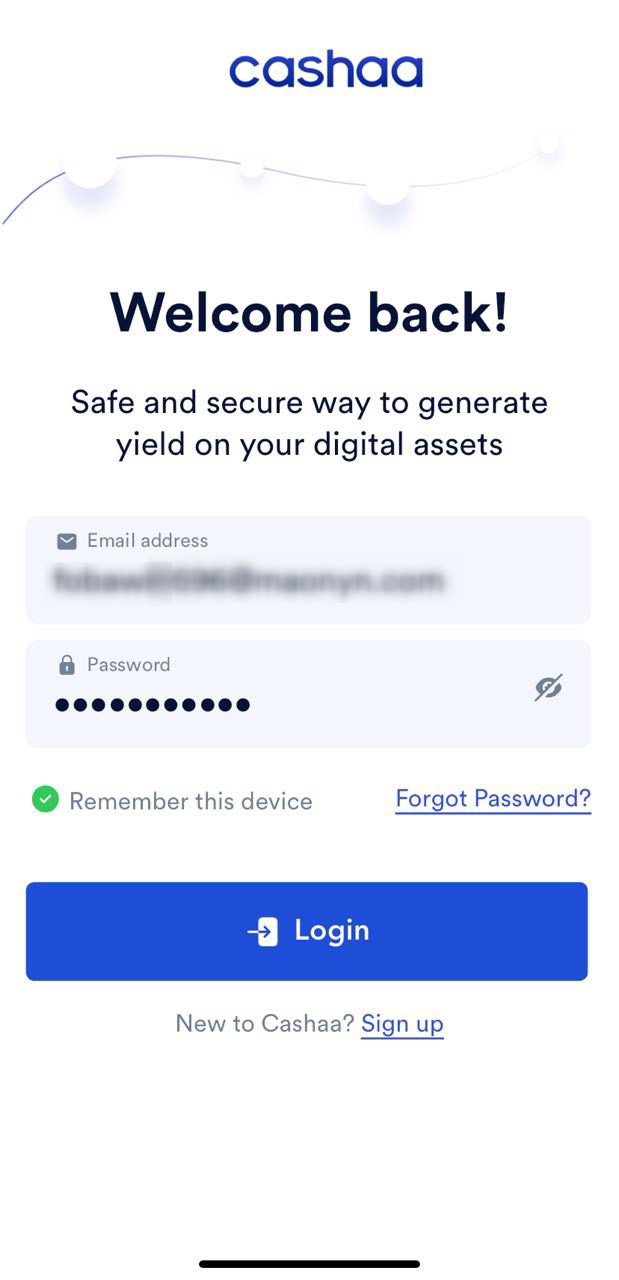
Log in to Your Cashaa Account
- Open the Cashaa mobile app on your device and log in using your registered email address and password.
- Note: If you are unable to log in to your account, you can still reach our support team by emailing support@cashaa.com or filling out our contact form.
- 2
Step 2:
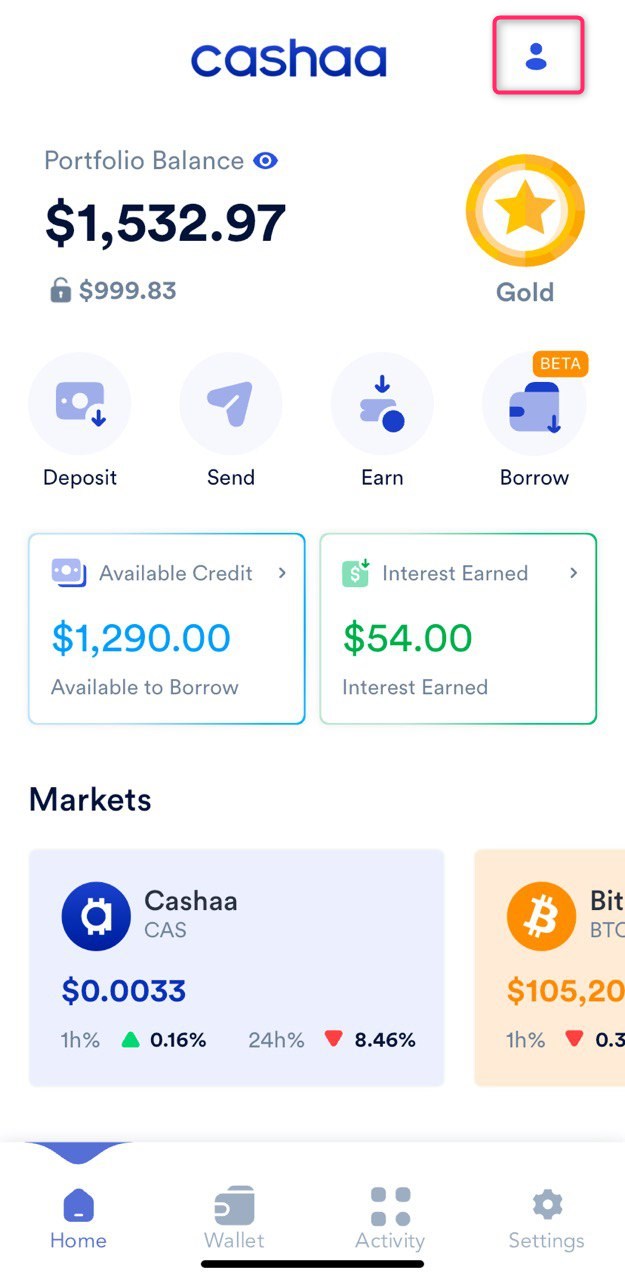
Navigate to Your Profile
- Once logged in, tap on the User Profile icon, typically located in the top-right corner of the app's home screen.
- 3
Step 3:
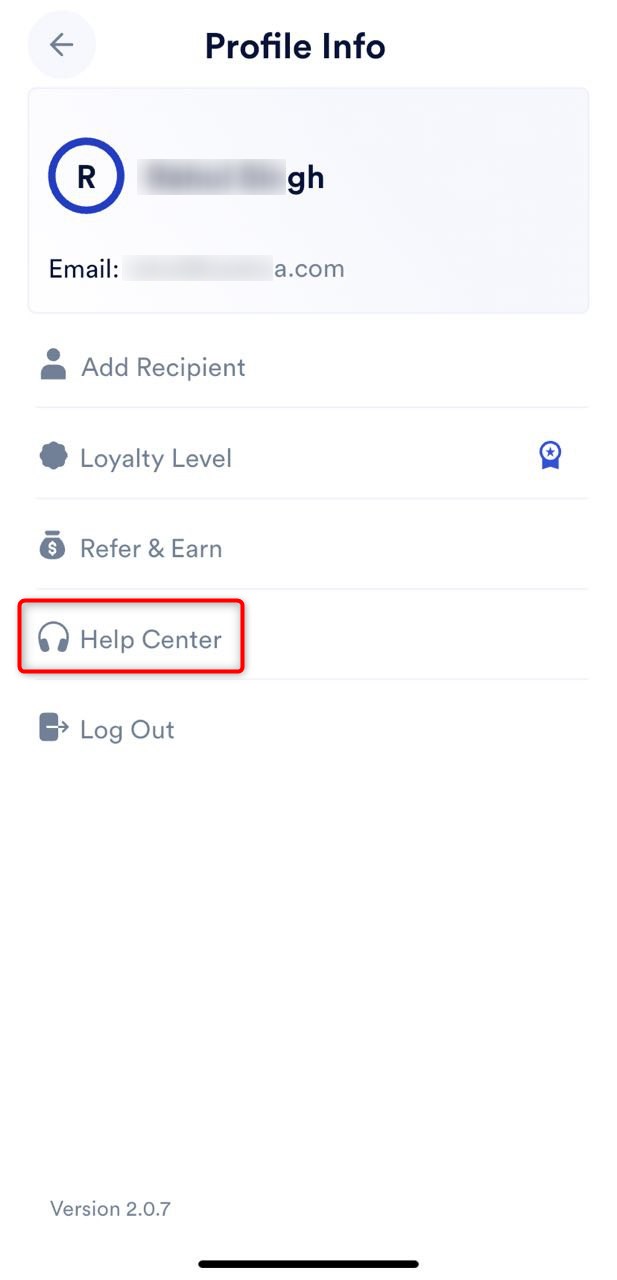
Access the Help Center
- In your profile menu, locate the Help Center option and tap on it.
- This will take you to the support section, where you can raise a ticket.
- 4
Step 4:
Enter Ticket Details
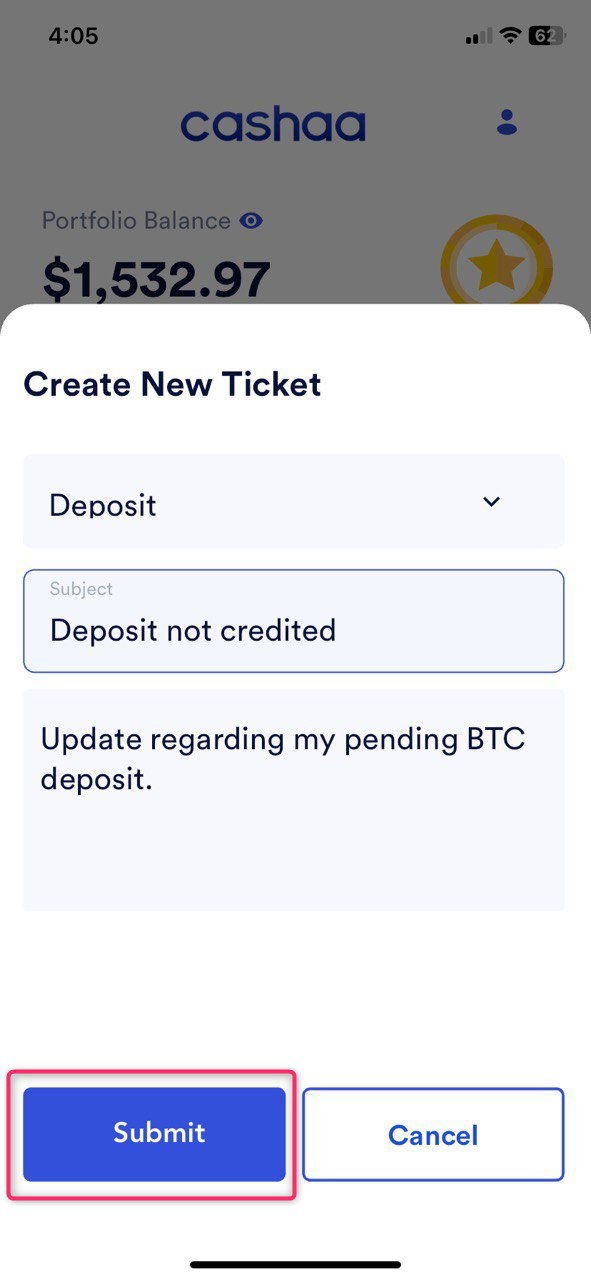
In the Help Center, you will find a form to submit your support ticket. Fill out the following fields:
- Category: Select the category that best describes your issue, such as "Account Issues," "Transaction Problems," or "Security Concerns."
- Subject: Briefly describe your issue (e.g., "Unable to complete a transaction").
- Description: Provide a detailed explanation of your problem, including relevant details such as error messages or actions that led to the issue.
- 5
Step5:
Submit Your Ticket
- After filling in the category, subject, and description, double-check your information for accuracy.
- Tap the Submit button to send your ticket to the Cashaa support team.
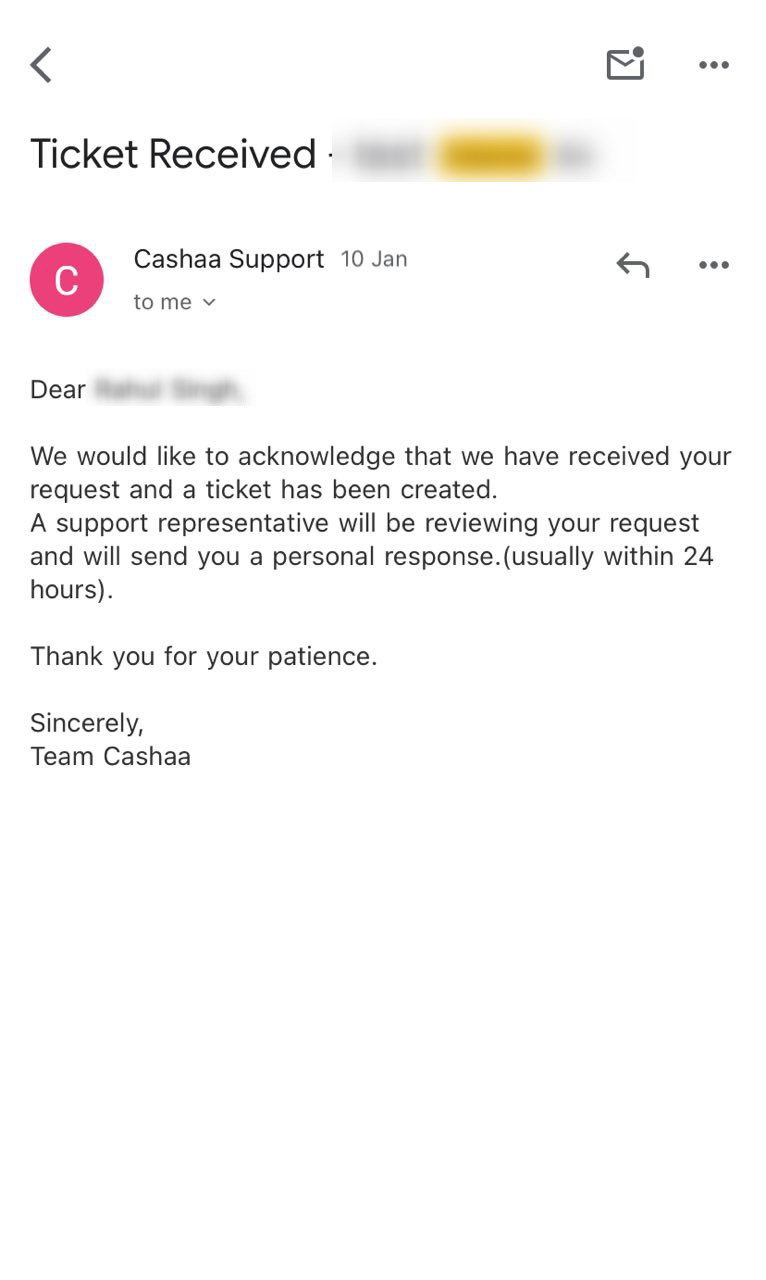
- Once submitted, you will receive a confirmation email acknowledging your request.
- 6
What Happens Next?
- The Cashaa support team will review your ticket and respond promptly.
- If additional information is needed, they will contact you through the email linked to your account.
- 7
• Tips for Raising a Ticket
✅ Be clear and concise when describing your issue.
✅ Select the correct category to ensure your ticket is routed to the appropriate team.
✅ Provide all necessary details to help the support team understand your problem quickly.
- By following these steps, you can efficiently get the support you need and resolve any issues with your Cashaa account. 🚀
Was this helpful?
Quick feedback helps us improve.